
How to Use This Site
This service lets you enter a Korean address and get English address, road name, lot number, and zip code in one place. It is free and based on the Ministry of the Interior and Safety road address data.
In this guide
We explain how to search, view and copy results, detail view, road-level view, and language switch.
How to search
In the search box on the home page, enter one of:
- Road + building number (e.g., Sejong-daero 110, Teheran-ro 521)
- Building name (e.g., Seoul City Hall, Gangnam Station, Lotte Tower)
- District + lot number (e.g., Yeoksam-dong 737, Samseong-dong 159)
Example: getting the English address for Sejong-daero 110
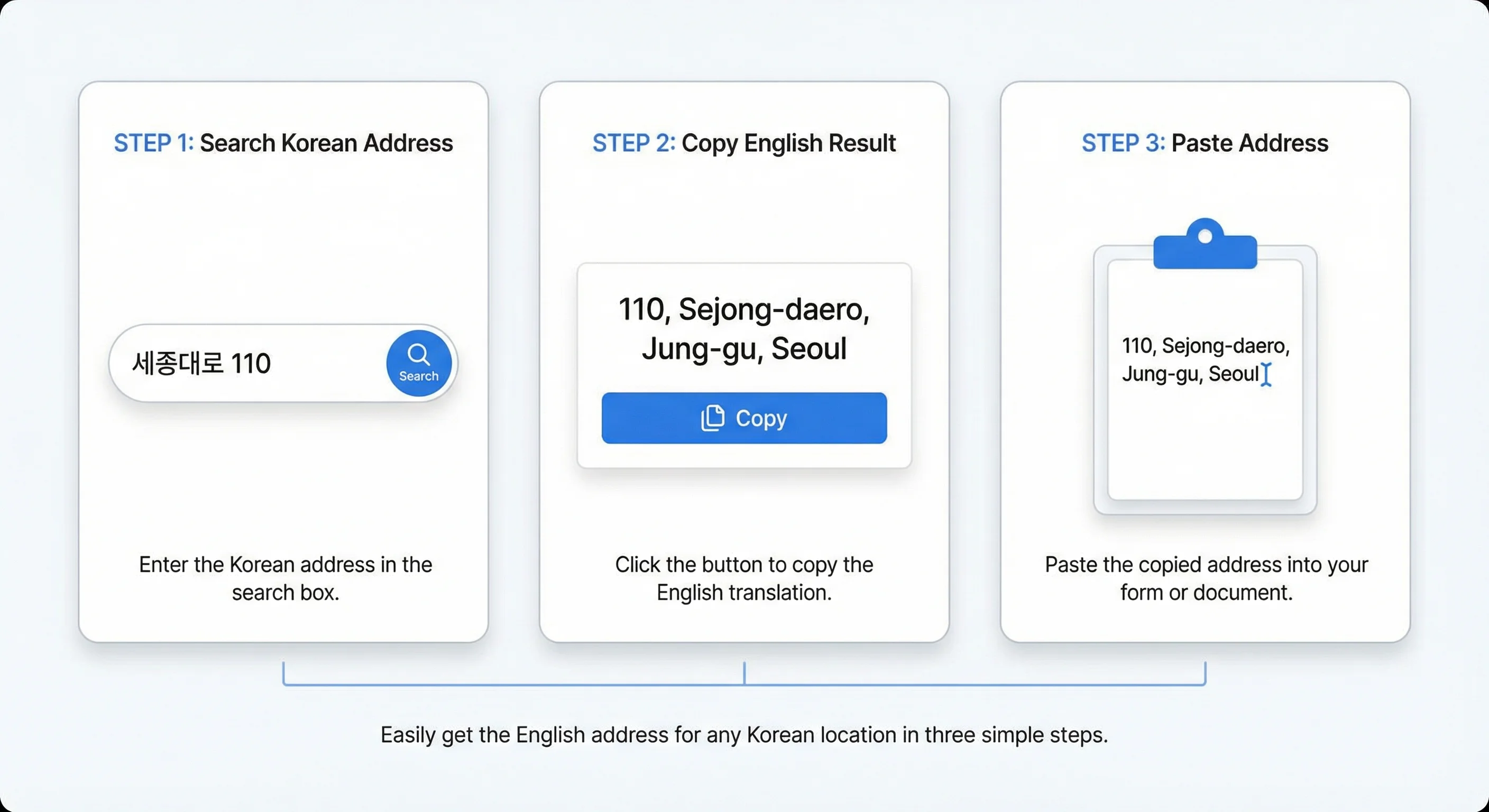
- Enter 세종대로 110 in the home search box.
- Click Search to go to the results page.
- The result card shows 110, Sejong-daero, Jung-gu, Seoul, road name, lot number, and zip code (03142).
- Click the Copy button next to the English address to copy it to the clipboard, then paste it into shipping or document forms.
Results and copy
Each result card shows English address, road address, lot address, and zip code. Use the copy button next to each field to copy to the clipboard.
Detail view and road view
To see a single address in detail, click View details on that result. To see all building numbers on a road, use the road detail page (e.g., /address/서울/중구/세종대로 for Sejong-daero in Jung-gu, Seoul).
Language switch
Use the EN / 한국어 link at the top right to switch the UI language. Data is based on the Ministry of the Interior and Safety road address API.